

JPresta Page Cache Ultimate and Global‑e Plugin Configuration
Here is how to configure PrestaShop to work with both the JPresta and Global-e modules.- Go to IMPROVE > International > Localization.
-
In the configuration area, disable Set default country from browser language and Geolocation by IP address.
Disable Set default country from browser language.
 Disable Geolocation by IP address.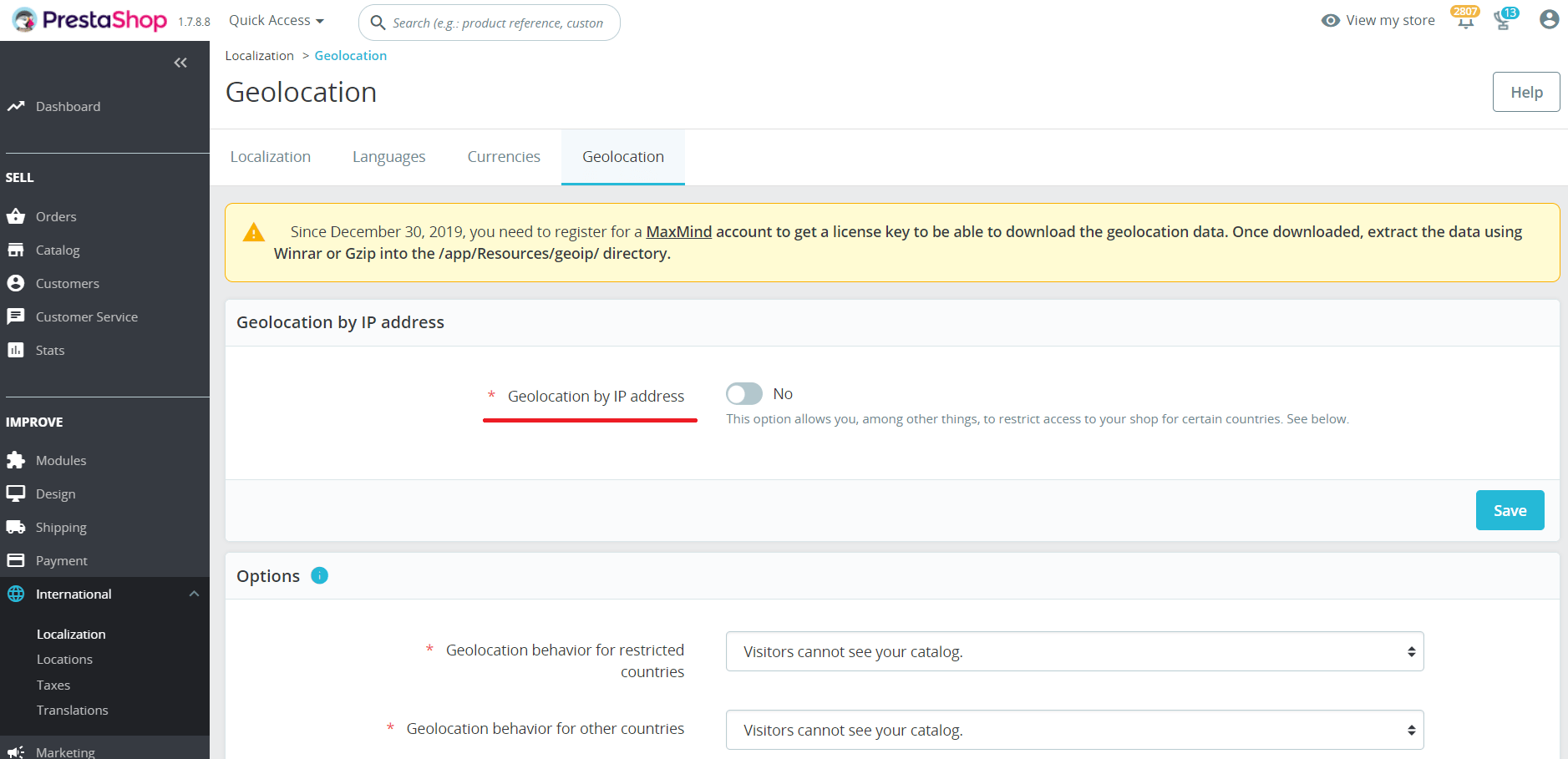
-
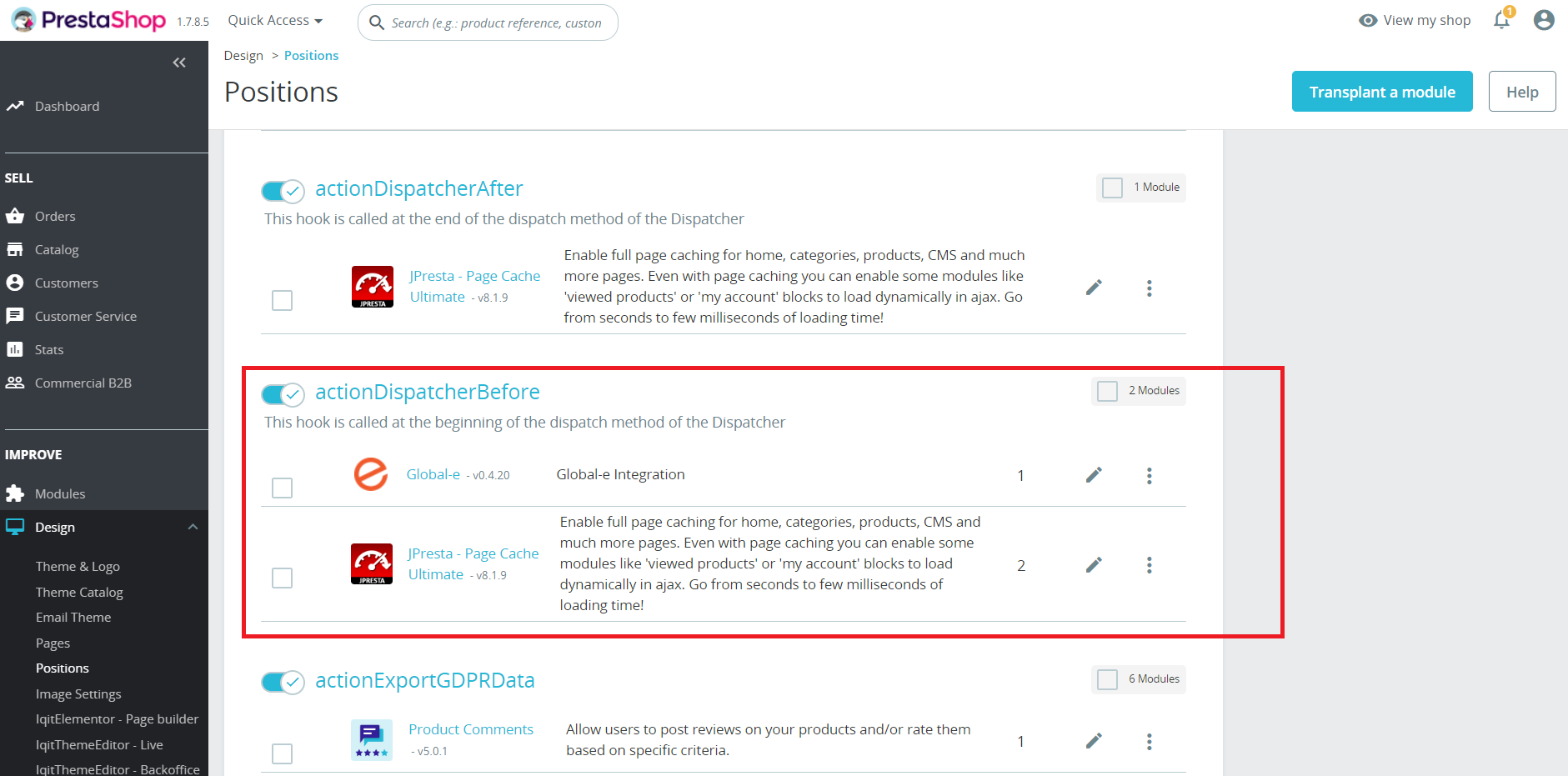
Move the position of the hook actionDispatcherBefore for the Global‑e plugin to be before JPresta.
-
Modify the Global‑e Global‑e GEM code:
Add the
countryCodeandcurrencyCodeorglCountryandglCurrencyquery params when the country is changed in the shipping switcher. - Empty the PrestaShop and the JPresta caches.
- Set $EXPIRES_MIN = 0; in modules/pagecache/static.config.php. In purpose to disable browser cache for product and categories pages.