

- Extract the Zip file provided to you by Global-e that includes the two packages.
- Run the composer-based installation directly from the Global-e repositories.
Activating the Extension
The Global‑e Magento2 Lite extension provides a configuration screen that allows actual activation of Global‑e Integration on the website along with other settings: Stores -> Configuration -> Services -> Global-E Integration Lite: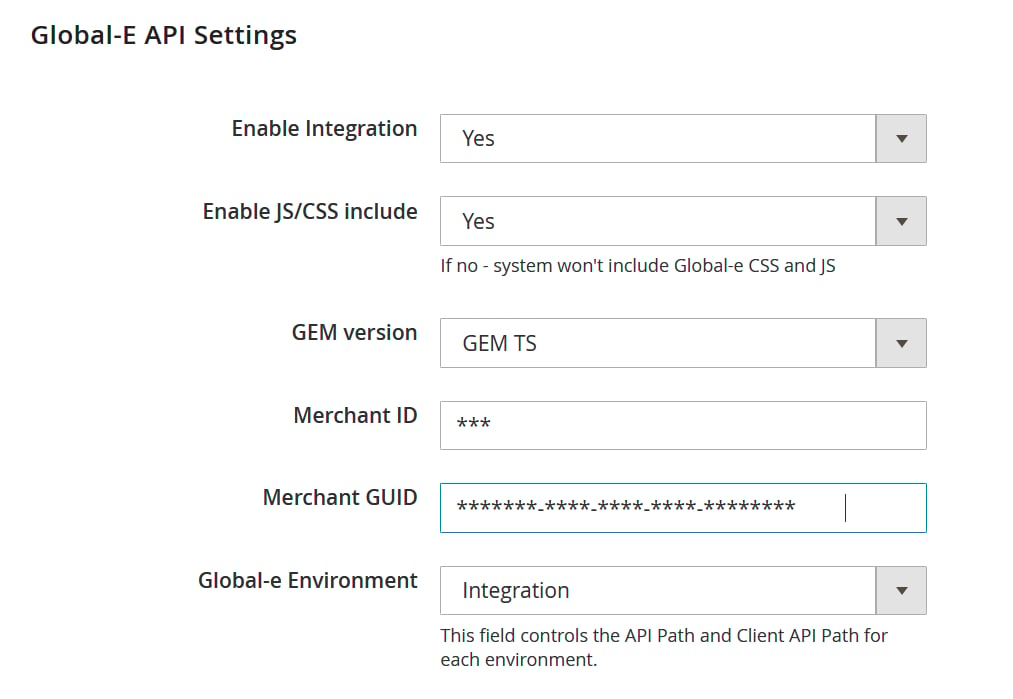
Headless Installation
If a full page cache requires a whitelist of dynamic URLs, the following patterns should be whitelisted to support Global-e integration Frontend area:/international-ge/*
/international/*
Admin area:
/globale/*
Additionally, Global-e uses Magento2’s REST APIs. Make sure to enable them.
Make sure not to cache them (remove them from varnish or any other cache mechanism).