

-
Fulfil each order as usual and print its label and invoice using the Global‑e Merchant Portal.
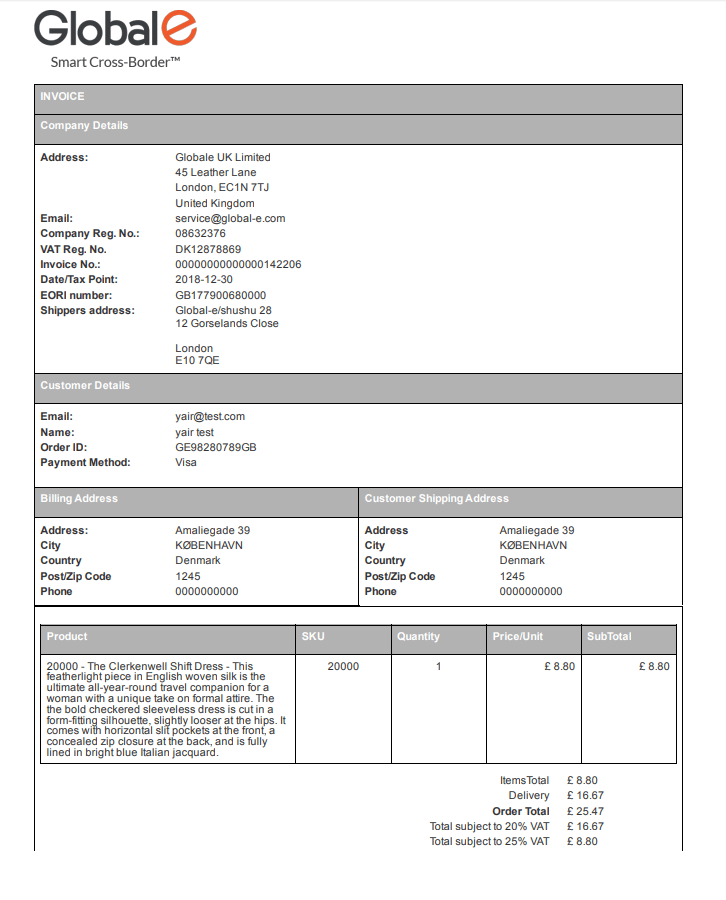
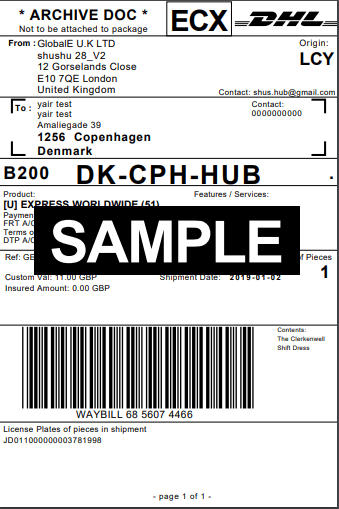
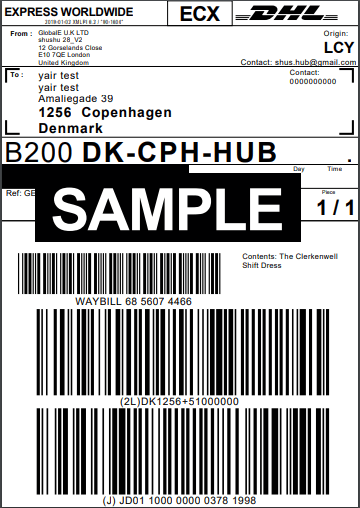
-
After DHL collects all the orders- proceed to the EOD process:
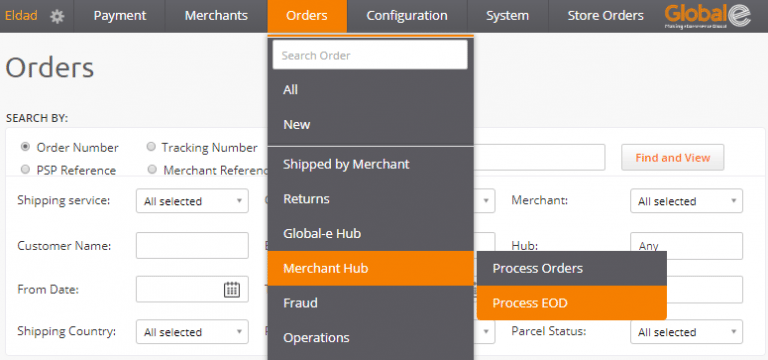
Orders ⇒ Merchant Hub ⇒ Process EOD
( https://web.global-e.com/GlobaleAdmin/NewHub/EndOfDayOrders)
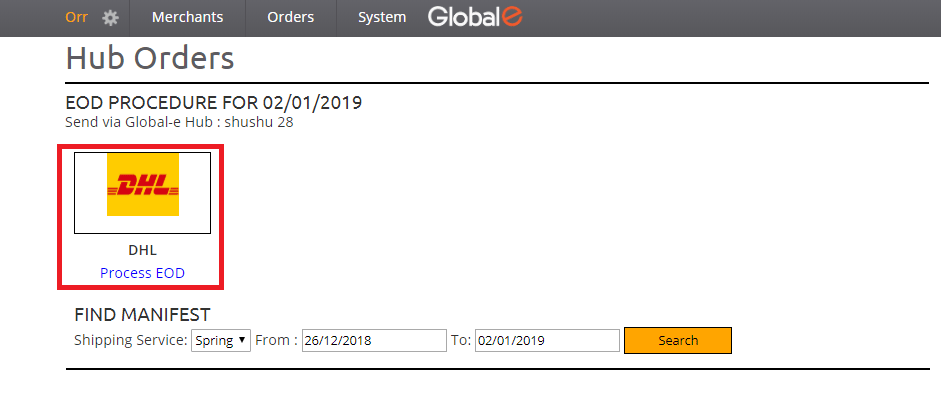
The EOD form opens. All DHL orders that are in the status “received in hub” are included under this icon.
-
Click Process EOD below the DHL logo.
-
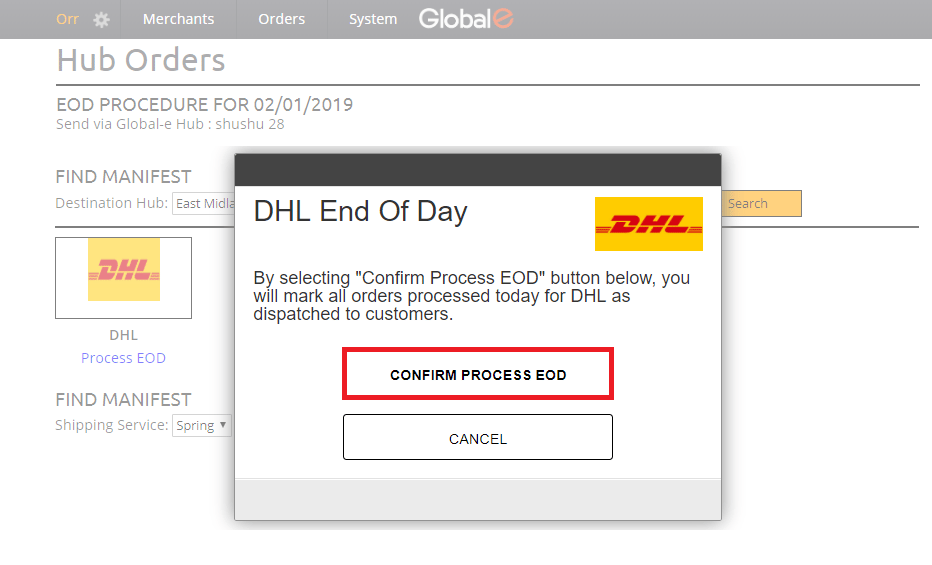
In the DHL End Of Day box, click CONFIRM PROCESS EOD.
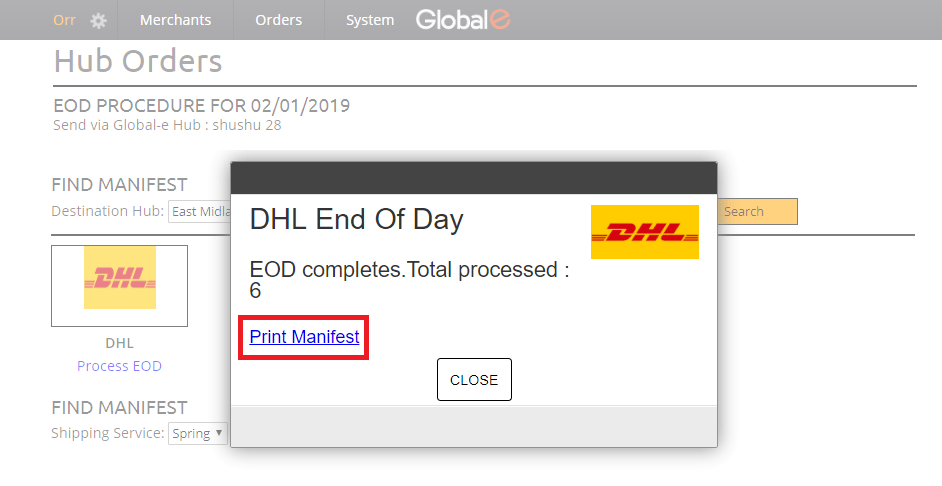
The total number of orders processed is listed.
-
Click Print Manifest.
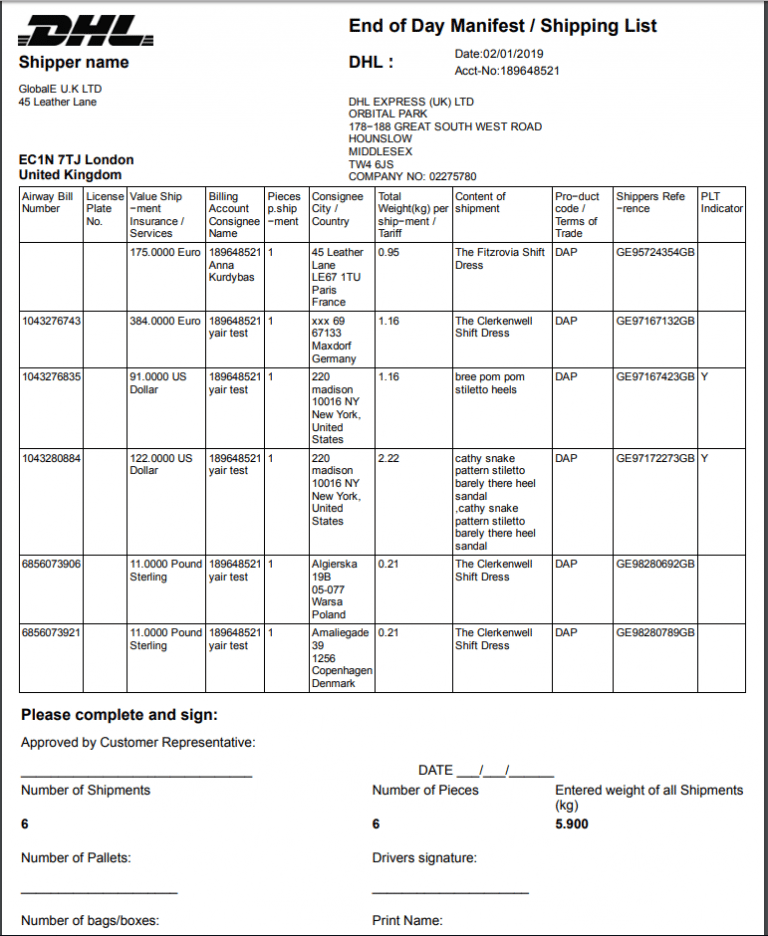
- Keep the manifest file as a reference.
EOD Process
DHL EOD process
Express/Standard EOD process