

-
In the Global‑e Merchant Portal, navigate to Orders → Merchant Hub → Process Orders
The Process Orders screen opens, showing by default the list of orders that are ready for processing according to date range settings; each order is also selected by default. Make sure to scroll down the list to view all orders.
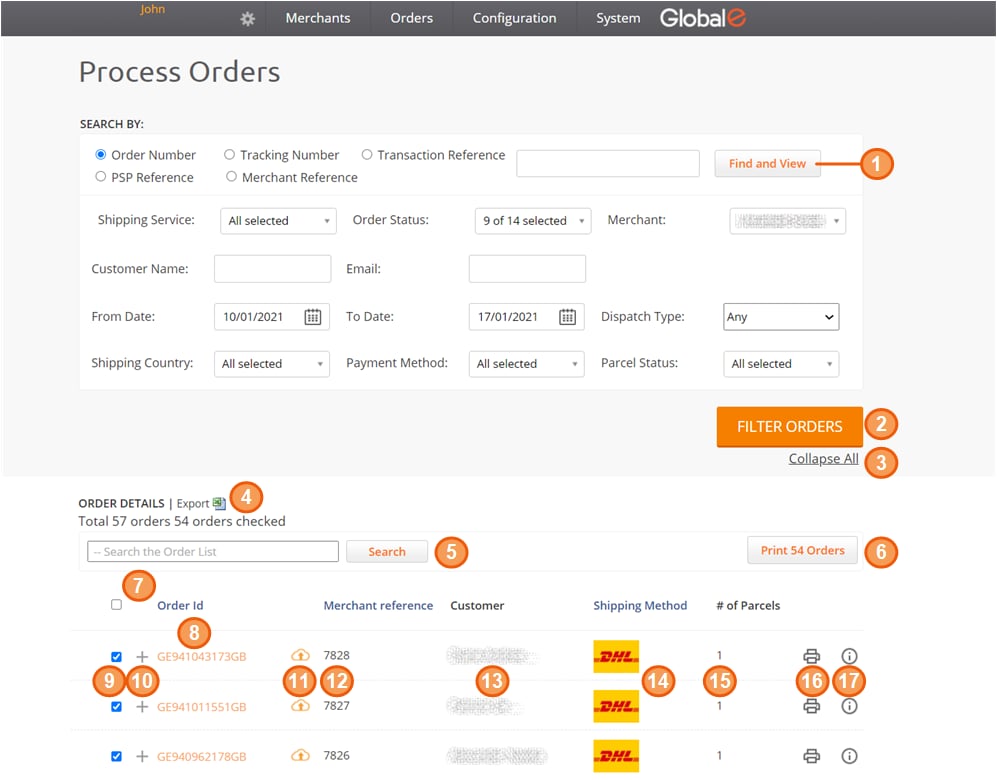
Accessing the Process Orders Screen
Accessing the Process Orders Screen
The Process Order screen is the core of the fulfilment process.
To access the Process Orders screen: