> ## Documentation Index
> Fetch the complete documentation index at: https://pro-docs.bglobale.com/llms.txt
> Use this file to discover all available pages before exploring further.
# Shipping Express Orders: Performing the End of Day Procedure
The End of Day (EOD) procedure ensures that the customer is notified that the order is on its way and gets the carrier’s tracking number.
Global‑e recommends that you perform the EOD procedure after the orders have been collected from the warehouse so that the customer can be notified in real-time that the order is on its way.
**Note:** if you don’t have a daily pickup service, perform the EOD procedure after the orders have been picked up from your warehouse, and not necessarily at the end of each working day.
**To perform the End of Day procedure:**
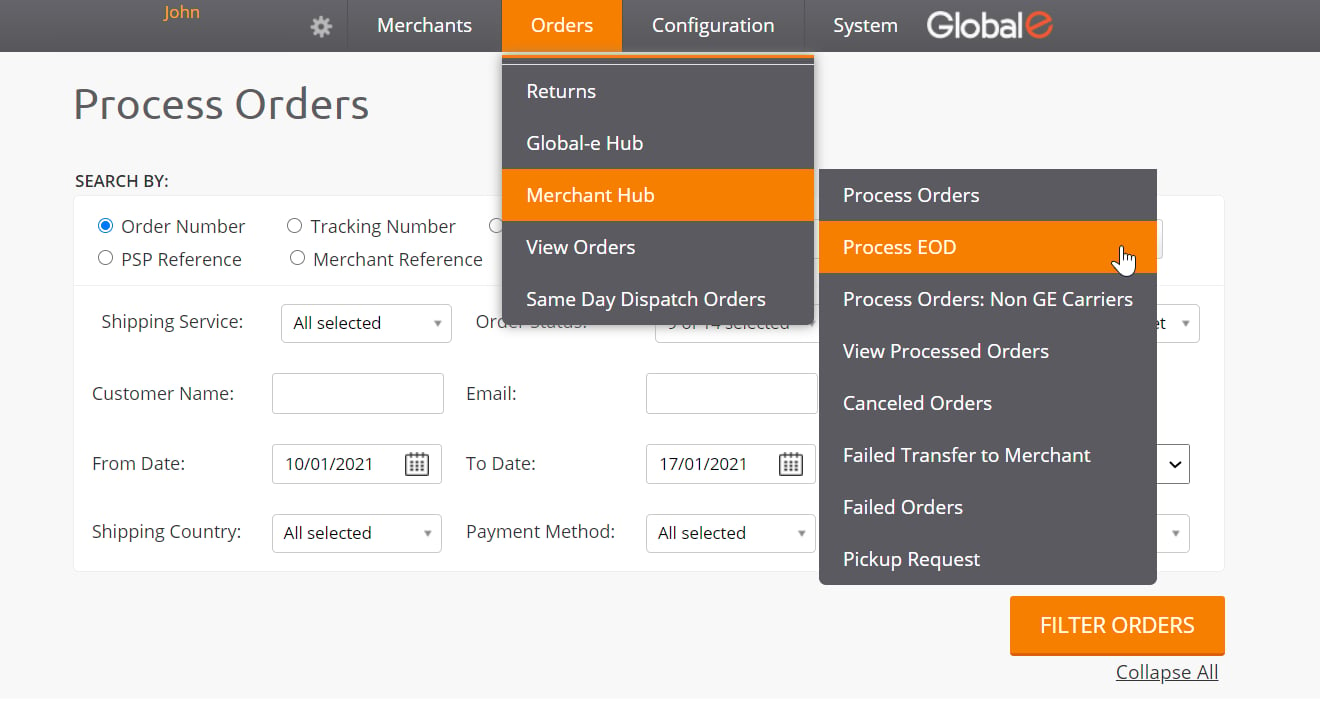
1. Navigate to **Orders → Merchant Hub → Process EOD**.
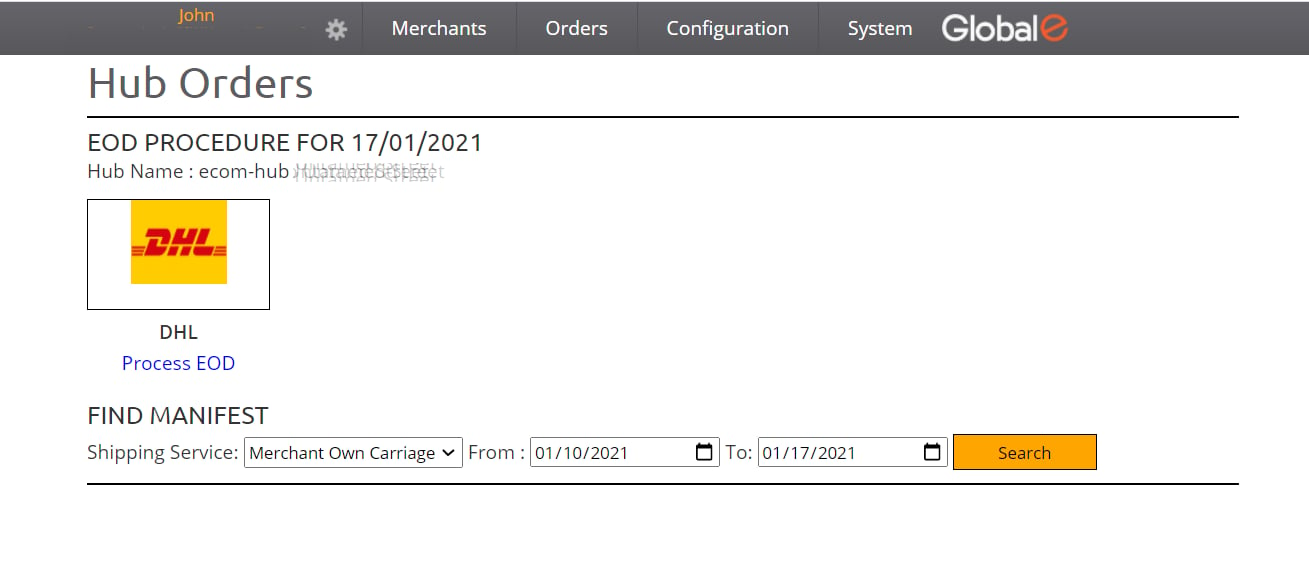
 2. In the Hub Orders/EOD Procedure screen, click the **Process EOD** link.
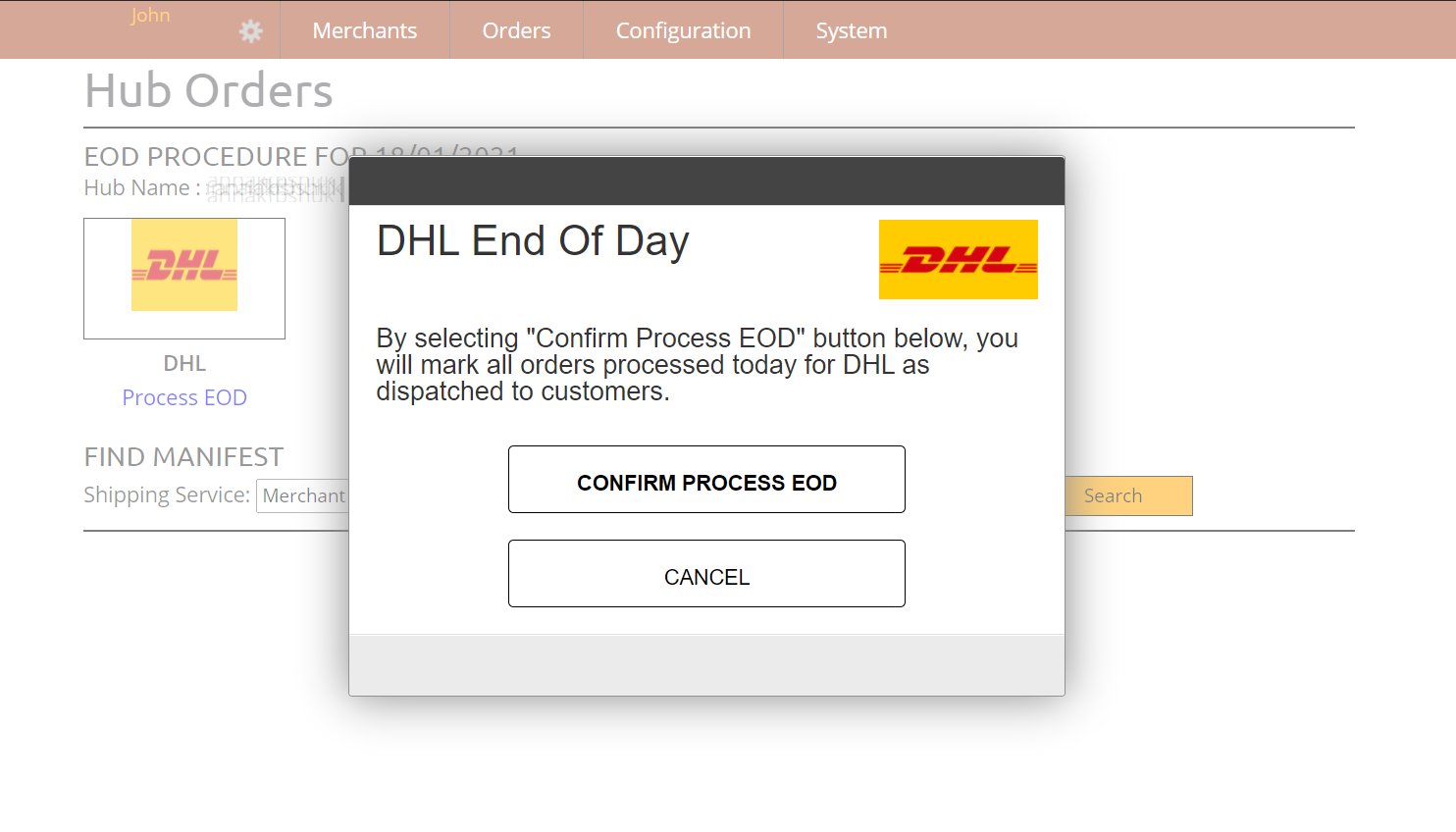
 3. In the confirmation popup, click **Confirm Process EOD**.
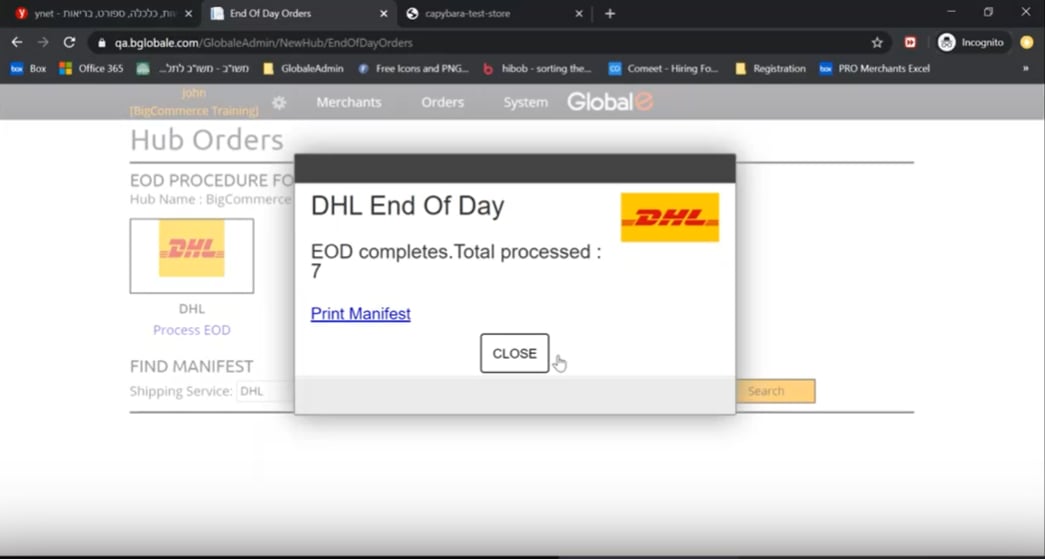
 The screen displays:
* The number of orders processed and dispatched to the customers.
* A **Print Manifest** option. You can print the manifest to use as a reference for the orders that have been processed.
The screen displays:
* The number of orders processed and dispatched to the customers.
* A **Print Manifest** option. You can print the manifest to use as a reference for the orders that have been processed.
 The End of Day procedure is now complete. The customer is notified that the order is now on its way and of the carrier’s tracking number.