> ## Documentation Index
> Fetch the complete documentation index at: https://pro-docs.bglobale.com/llms.txt
> Use this file to discover all available pages before exploring further.
# Issuing a Refund
**To refund an order:**
1. From the Global‑e Merchant Admin, go to **Orders**\*\*> View Orders\*\*.
2. Find the relevant order (enter the order information and click **Find and View**) and open it.
3. Make sure the order is in Dispatched Status.
4. On the Order Details screen, click the **Refunds** tab.
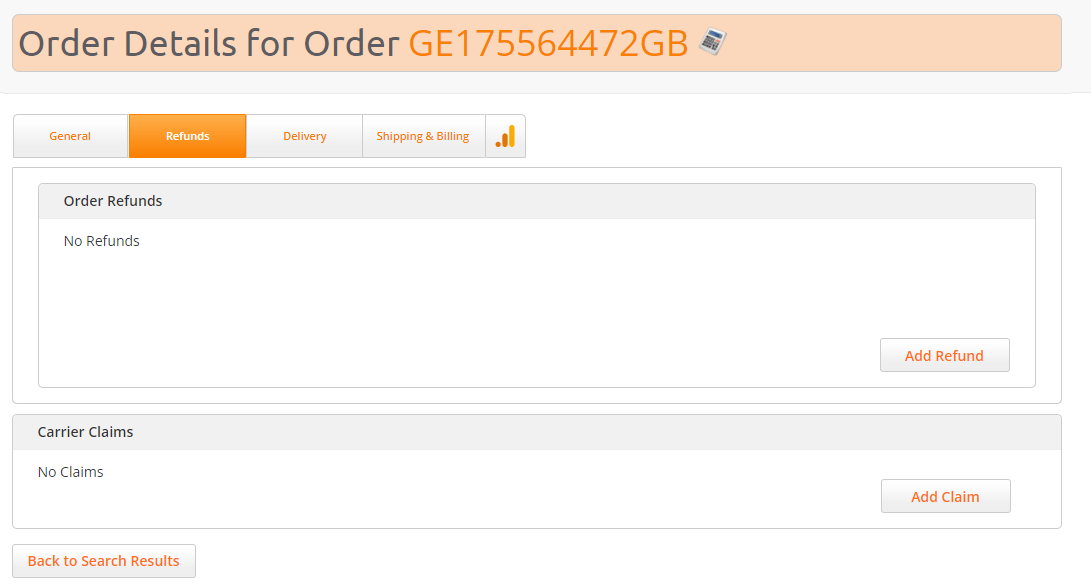 5. Click **Add Refund**.
The Refunds screen opens.
5. Click **Add Refund**.
The Refunds screen opens.
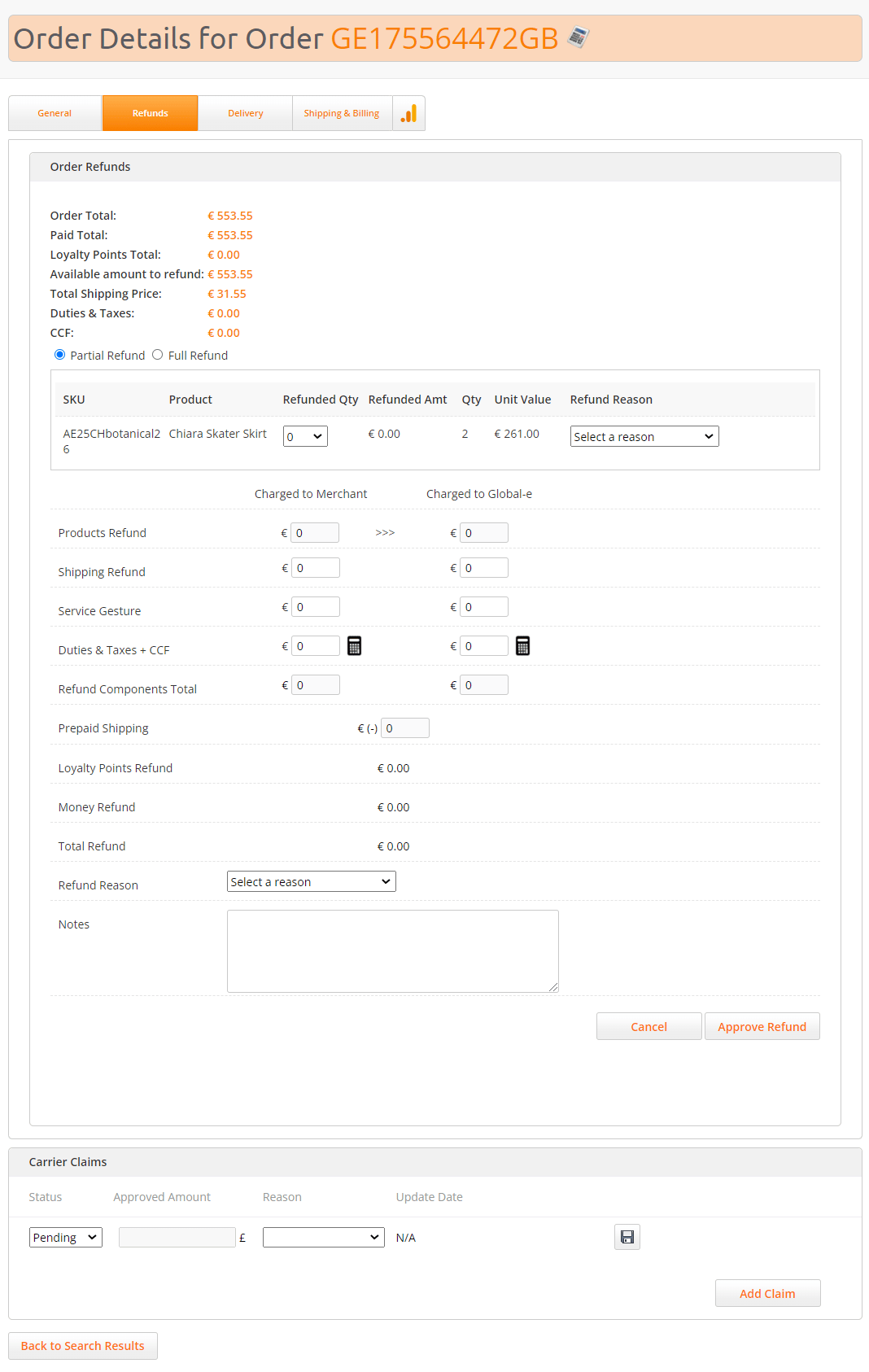 The following information is displayed:
| Field | Description |
| -------------------------- | ------------------------------------------------------------------------------------------------------------------------------------------------- |
| Order Total | The total amount that the customer paid for the order |
| Paid Total | TBD |
| Loyalty Points Total | TBD |
| Available amount to refund | The amount that can be refunded. If previous refunds were performed for that order, the amount to be refunded will be lower than the order total. |
| Total Shipping Price | The total shipping price paid by the customer |
| Duties & Taxes | The duties paid by the customer |
| CCF | The customs clearance fees paid by the customer |
6. Select the type of refund: Full Refund or Partial Refund.
7. Click **Approve Refund**.
The following information is displayed:
| Field | Description |
| -------------------------- | ------------------------------------------------------------------------------------------------------------------------------------------------- |
| Order Total | The total amount that the customer paid for the order |
| Paid Total | TBD |
| Loyalty Points Total | TBD |
| Available amount to refund | The amount that can be refunded. If previous refunds were performed for that order, the amount to be refunded will be lower than the order total. |
| Total Shipping Price | The total shipping price paid by the customer |
| Duties & Taxes | The duties paid by the customer |
| CCF | The customs clearance fees paid by the customer |
6. Select the type of refund: Full Refund or Partial Refund.
7. Click **Approve Refund**.